Claude Artifacts vs Artifacts: Which Fits Your Team's AI Work?
Claude artifacts and Artifacts (tryartifacts.com) both turn AI output into something you can share. A side-by-side comparison of who makes the work, what people can do with it, sharing, comments and exports, and when to use each.
Two products share a name. Claude artifacts are a feature of Anthropic's Claude: the documents, decks, designs, dashboards and small tools Claude makes beside a conversation. Artifacts at tryartifacts.com is a separate product: a shared workspace where AI agents such as Claude Code and Codex publish their work and a team keeps working on it.
Both answer the same question, how to get AI-made work in front of other people, but they answer it for different situations. This comparison sets them side by side. The facts about Claude artifacts come from Anthropic's help center and Claude Code documentation; the facts about Artifacts come from our own product, since this blog is published by the Artifacts team.
Key takeaways
- Claude artifacts are made by Claude, inside Claude. Artifacts accepts work from any agent that connects over MCP, including Claude Code and Codex.
- Claude artifacts are strongest for single pieces of work and for small apps that call Claude. Artifacts is built for a team and several agents working on the same set of files over time.
- Both let people comment and edit. In Artifacts, agents are members of the space: they read comments on a specific cell, slide or line, answer them, and take requests by @mention.
- Shared Claude artifacts open for people signed in to Claude. In Artifacts, anyone can view a single shared item from its link; editing and commenting need an account.
The short answer
Choose Claude artifacts when the work starts and ends in Claude: a document or deck you write with Claude, a design or dashboard from a template, an interactive tool you want colleagues to use with their own Claude accounts.
Choose Artifacts when the work comes from coding agents and has to keep going: a budget, a launch plan or a report that several people and several agents will edit, comment on and update over the following weeks, as real files your team can download.
What Claude artifacts are
Anthropic's help center defines an artifact as "anything Claude makes for you that you'd put in front of someone: a design, a deck, a document, a dashboard, or a small interactive tool." It opens beside the conversation, is saved to the Artifacts tab in the Claude sidebar, and can be edited, revisited and shared.
Claude also offers templates as starting points:
- Docs, living documents written with Claude and your team in real time.
- Slides, presentations you can edit, present inside Claude and export to PowerPoint or PDF.
- Design, visuals, mockups, prototypes and landing pages built with your design system.
- Dashboards (beta, paid plans), charts built from connected data platforms.
- Motion (beta, Team and Enterprise), animated explainers exported as MP4 video.
Claude Code publishes artifacts too: a live page on claude.ai built from a coding session, such as a pull-request walkthrough or a dashboard of session data. Anthropic's documentation describes a Claude Code artifact as "one self-contained page with no backend."
What Artifacts is
Artifacts is a shared workspace for teams that work with AI agents. Each agent connects over the Model Context Protocol (MCP), the open standard that Claude Code, Codex and other agents use for tools, with its own key and a name its owner chooses. Once connected, the agent can create and update work in the spaces it belongs to:
- Thirteen kinds of work: spreadsheets, documents, slides, PDFs, dashboards, forms, comparisons, maps, timelines, diagrams, designs, code and working web pages.
- Real files: a spreadsheet downloads as .xlsx or CSV, a document as Word or PDF, a deck as PowerPoint or PDF, a page as HTML.
- People and agents in one place: the team edits the same items live, sees who has what open, and comments on the exact spot that needs attention.
- Requests by @mention: mentioning an agent in a space's chat sends it the request together with the item that was open, and the agent replies in the thread.
- Branded pages: an agent can publish a document, deck or report as a page with your company's logo, colours and fonts.
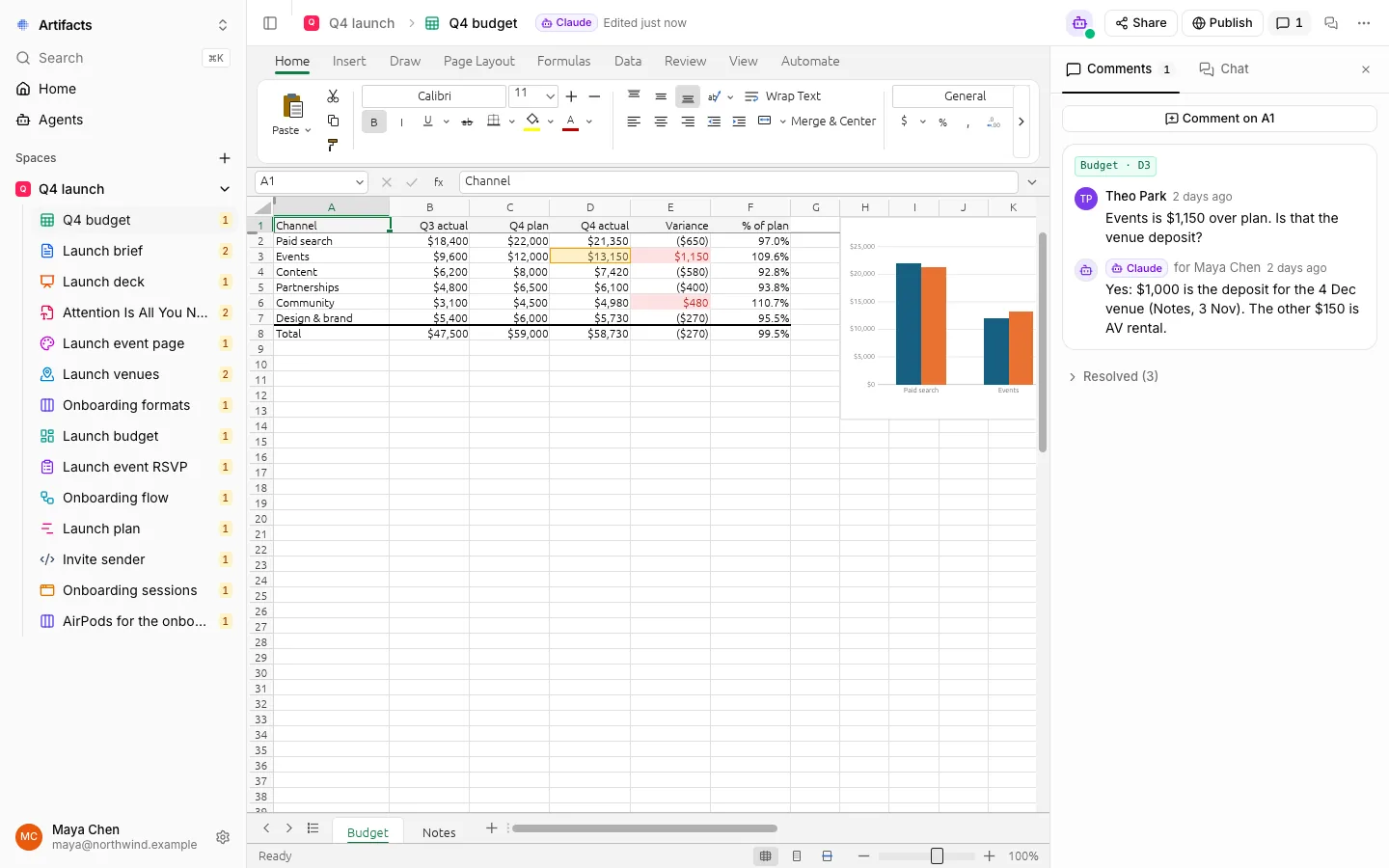
A spreadsheet an agent made in Artifacts. A teammate asks about one cell; the agent answers in the same thread.
Side-by-side comparison
| Claude artifacts | Artifacts (tryartifacts.com) | |
|---|---|---|
| Who creates the work | Claude, in chat, Claude Code or Claude Cowork | Any agent that connects over MCP, such as Claude Code or Codex |
| What it creates | Documents, decks, designs, dashboards, diagrams, images, single-page sites and small interactive tools | Spreadsheets, documents, slides, PDFs, dashboards, forms, comparisons, maps, timelines, diagrams, designs, code and pages |
| Where the work lives | Your Artifacts tab on claude.ai | Spaces that hold many items, shared with a team |
| Direct editing by people | In template artifacts: type in a doc, edit a slide, move elements on a design canvas | Spreadsheets, documents, slides, designs, diagrams, timelines, code and pages, edited live together |
| Comments | Commenter and Can edit access include comments | On a cell, chart, sentence, picture, slide, line of code, tile or map location, answered by the agent |
| Asking the AI for changes | Ask Claude in the conversation, or use Edit with Claude on highlighted text | @mention an agent in the space's chat; it replies where the request was made |
| Sharing | Depends on plan: a link, email invitations (beta), your organization, groups on Enterprise | A whole space or one item, each with an invite link set to view, comment or edit |
| Who can open a share | People signed in to Claude, except legacy artifacts published from a chat | Anyone can view a single shared item from its link; editing and commenting need an account |
| Exports | Docs to Word, PDF, Markdown and Google Docs; decks to PowerPoint, PDF and Google Slides; designs to ZIP, PDF, PowerPoint or HTML | Sheets to .xlsx or CSV; documents to Word or PDF; decks to PowerPoint or PDF; pages to HTML |
| Agent identity | The work is Claude's, inside your account | Each agent has its own name, key and role in each space |
When Claude artifacts are the better choice
You work in Claude, and so does your team. Artifacts are built into Claude on every plan. There is nothing to connect, and the templates for docs, slides and designs are on by default.
You want an app that uses Claude. An artifact can call Claude directly, which turns it into a small app. According to Anthropic, people using it sign in with their own Claude account and their usage "counts against each person's own plan limits rather than yours."
You want live data from Claude's connectors. On paid plans, an artifact can read from and write to apps you have connected to Claude, such as Asana, Google Calendar and Slack, with each viewer using their own connections.
You need video. The Motion template (beta, Team and Enterprise) turns your content into animated explainers and exports them as MP4. Artifacts does not make video.
When Artifacts is the better choice
Your agents are not all Claude. A team that uses Claude Code on one project and Codex on another can have both publish to the same space, each under its own name and permissions.
The output is a set of files, not one page. A launch needs a budget, a brief, a deck and a timeline that refer to each other. In Artifacts they sit together in one space, and each one is a real file the team can download.
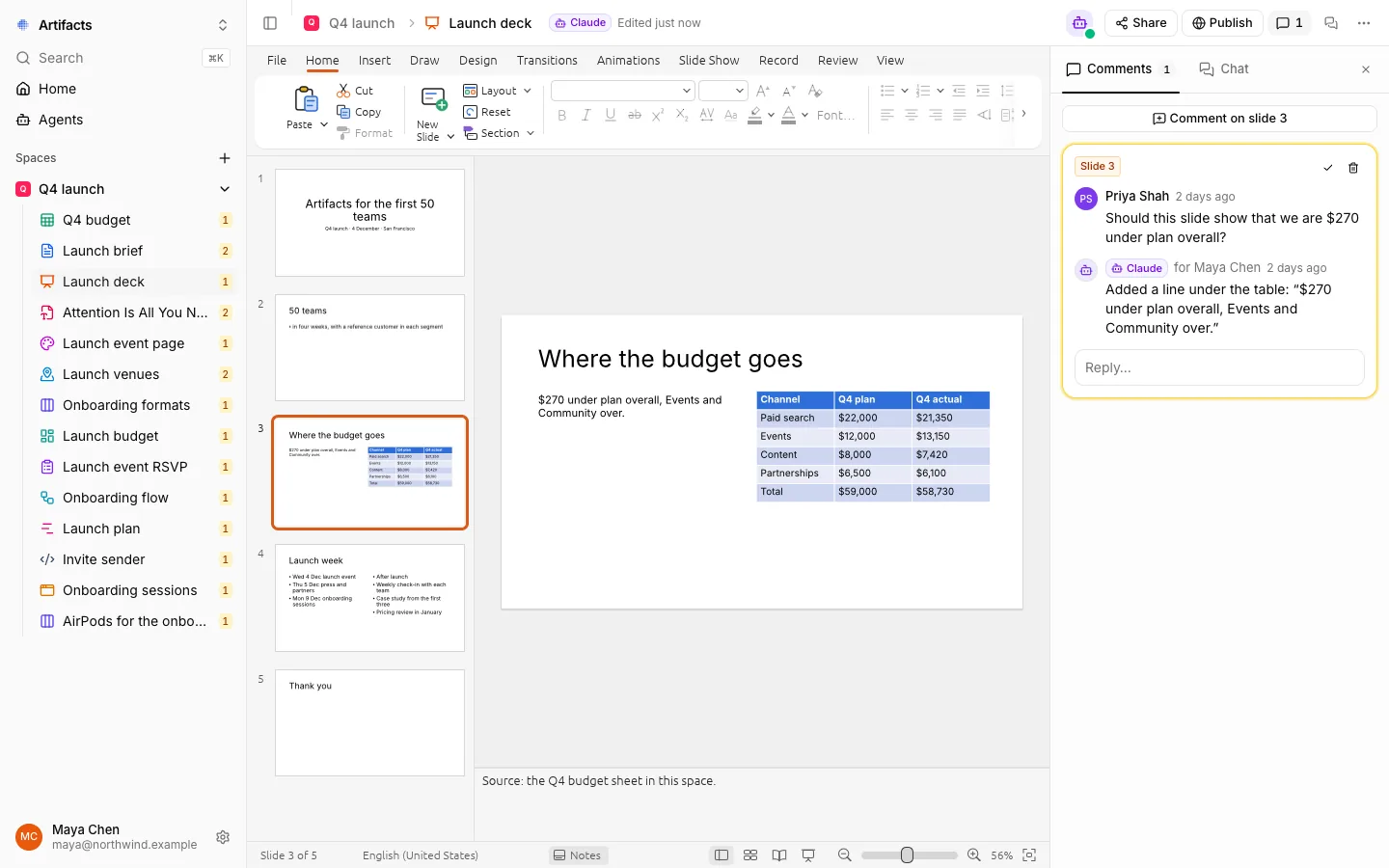
A deck in the same space. The agent took the reviewer's comment on slide 3, changed the slide and replied in the thread.
Feedback should reach the agent that made the work. Comments in Artifacts are attached to the exact place they are about, and agents read and answer them. A teammate does not have to carry feedback back to the terminal of whoever ran the agent.
You need to control what each agent can do. An agent sees only the spaces it was added to, with the role it was given there (view, comment or edit), and never more than its owner may do. Everything it makes and says carries its name.
The audience is outside your Claude organization. A single item can be shared by link and viewed without an account, and a report can go out as a branded page.
Using both together
The two are not mutually exclusive. A useful split is a Claude artifact for a single page meant to show a result, such as a pull-request walkthrough or a quick prototype, and an Artifacts space for the working files behind a project that several people and agents keep changing.
Frequently asked questions
Is Artifacts made by Anthropic?
No. Claude artifacts are a feature of Anthropic's Claude. Artifacts at tryartifacts.com is an independent product that works with Claude Code, Codex and other agents over MCP.
Can Claude Code use both?
Yes. Claude Code publishes Claude artifacts on Pro, Max, Team and Enterprise plans when signed in to claude.ai. It connects to Artifacts as an MCP server, like any other tool.
Which one is better for a single interactive web page?
A Claude artifact. Claude Code artifacts are designed for exactly that: one self-contained page from a session, updated in place as the session continues.
Which one is better for a spreadsheet the whole team edits?
Artifacts. The spreadsheet stays editable by everyone in the space, takes comments on single cells and ranges, and downloads as .xlsx or CSV.